



Real Device Cloud Testing, Redefined
Test your mobile apps and websites on the real devices and browsers most relevant to each release – from the cloud, without compromising on accuracy. TestGrid’s Real Device Cloud gives you that authentic, real-world view, so you can test smarter without building or maintaining your own device lab.
Request Free Trial



Smarter Coverage, Without Expanding Your Test Matrix
Prioritize the combinations that need real-world validation, automate execution across real devices and browsers, and reduce unnecessary test volume with TestGrid
Run Appium, Selenium, & Cypress Scripts on Cloud
Use your existing test frameworks and execute automation directly on real devices in the cloud. Execute tests in parallel across priority browser, OS, and device combinations for smarter regression coverage.
Monitor Real-Time Device Performance
Track CPU, memory, battery drain, network usage, and UI responsiveness during live test sessions. Detect performance degradation early and maintain smooth, stable app behavior across device types and OS updates.
Connect Testing to Your CI/CD Workflow
Integrate with Jenkins, GitHub Actions, GitLab, Azure DevOps, and others. Trigger automated test runs, share results across teams, and support parallel test execution to accelerate release cycles.
Mobile App Testing
Validate native, hybrid, and mobile web experiences with TestGrid’s Real Device Cloud
Android Device Testing
Test your Android apps on real Samsung, Google Pixel, Xiaomi, and other Android devices. Check performance, UI behavior, gestures, network conditions, and device-specific flows across Android 14 and Android 15.
For deeper debugging and automation, TestGrid supports ADB access, Appium, and Espresso.
Request Free Trial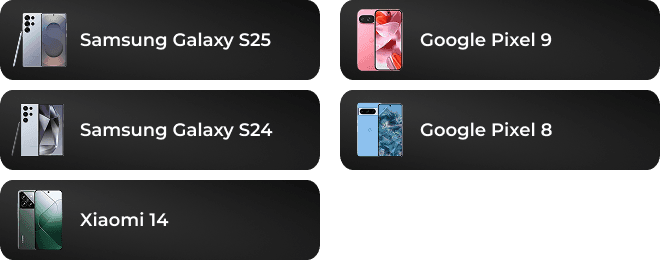
iOS Device Testing
Run your iOS app tests on real iPhones—no simulators or internal device labs required. Access current and previous-generation models, including iPhone 14, iPhone 15, iPhone 16, and iPhone 17, across supported iOS versions to validate UI behavior, performance, gestures, and critical user flows.
TestGrid supports XCUITest and Appium automation on real iOS devices, with no jailbreak required.
Request Free Trial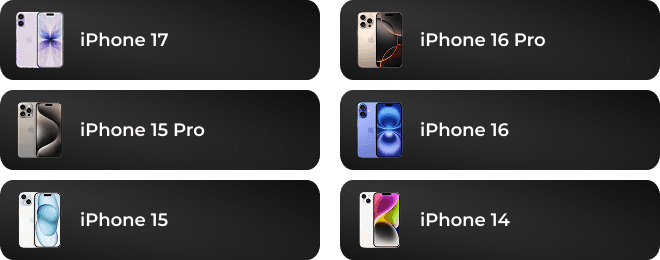
Cross Browser Testing
Test your website on real browser environments
With TestGrid’s cross-browser testing capabilities, you can ensure every end user receives a consistent and high-quality experience. Run your tests across multiple browsers in parallel or sequence—quickly and efficiently.
Performance Testing
Leverage the one-stop platform for end-to-end application testing
TestGrid provides a unified platform for real device cloud testing, cross-browser testing, and performance validation. We ensure your business-critical applications deliver consistent responsiveness, stability, and reliability.
AI-Powered Testing With CoTester
Get faster coverage, fewer script rewrites, and real execution evidence
Generate, run, and maintain test flows faster with CoTester. Turn requirements, URLs, and workflows into tests, execute them across TestGrid’s real devices and browsers.
As screens change, AgentRx helps keep automation stable by adapting to shifted elements, updated labels, and layout changes.
Request Free Trial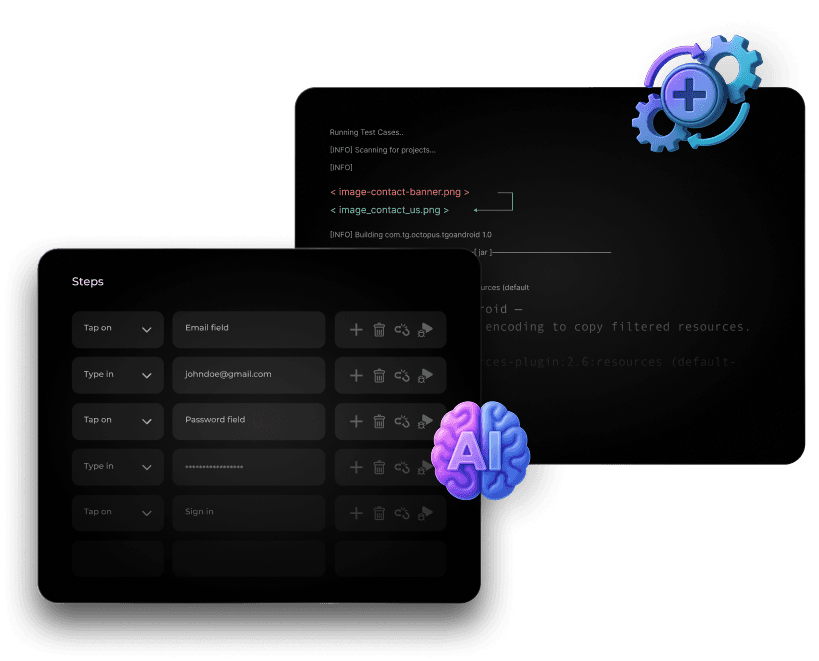
A 360-Degree Real Device Testing Suite
Whatever you need to check, TestGrid can help you check it
Test on the Right Real Devices
Choose from real Android and iOS devices based on your users, release risk, OS coverage, and device behavior, including iPhone, Samsung Galaxy, Google Pixel, and Xiaomi models. Cover iOS 17, iOS 18, Android 14, Android 15, and the full spread of screen sizes, browsers, and hardware profiles.
Simulate Real-World User Scenarios
Recreate real usage conditions with GPS simulation, biometric login, gesture automation, camera input, orientation changes, and network throttling. See how your app holds up under weak networks, shifting bandwidth, and device-specific interactions across iOS and Android.
Debug Faster with Deep Insights
Diagnose issues faster with Appium Inspector, ADB commands, browser DevTools, Charles Proxy workflows, network capture, HAR files, logs, crash reports, screenshots, and video playback. Give your QA teams the context needed to isolate failures across devices, browsers, and OS versions.
Monitor Real-Time Device Vitals
Track CPU usage, memory consumption, battery impact, network performance, UI response times, and request-level behavior while testing on real devices. Use network throttling, HAR files, and performance logs to catch slow APIs, unstable flows, and device-specific degradation before release.
Test on Real Device Cloud with TestGrid
Optimize your testing efforts without worrying about hidden costs with the right support
Reduce time on scripting by 50%
Whether a simple flow or a complex scenario, you can automate tasks efficiently without overcomplicating the process. Benefit from features like record-and-playback and AI-driven automation using real devices.
Empower non-technical teams
TestGrid is designed to support anyone in your team, whether you’re a QA analyst, product manager, or business leader. It’s straightforward to use, so you don’t need coding skills to get started or level up your testing.
Cut costs, not corners
With us, you know exactly what you’re paying for. There are no hidden fees, unexpected price increases, or extra data storage costs. Some plans even include device settings access and buy-back eligibility options.
Real Device Testing Outcome
See how a mobile-first enterprise team used TestGrid to reduce device lab dependency and validate app behavior across iOS and Android releases
Mobile Banking App Team
Challenge
The team needed to validate login, biometric authentication, fund transfers, QR payments, dashboards, and notification flows across real iOS and Android devices before every release. Internal device coverage was limited, and device-specific issues on newer iPhone, Samsung Galaxy, Google Pixel, and Xiaomi models were reaching late-stage QA.
TestGrid Impact
The team used TestGrid's Real Device Cloud to test mobile app flows across real iOS and Android devices, including multiple OS versions, screen sizes, and network conditions. QA engineers used Appium execution, ADB access, logs, screenshots, videos, and real-time device vitals to reproduce failures faster and share clear defect evidence with engineering.
Result
Expanded real device regression coverage by 3x, reduced mobile release validation time by 50%, and cut device-specific production defects by 42%.

Frequently Asked Questions
What is TestGrid’s Real Device Cloud?

TestGrid’s Real Device Cloud gives you instant access to real iOS and Android devices hosted in the cloud. You can test mobile apps and websites on physical devices without maintaining your own device lab.
What is TestGrid’s Real Device Cloud?
TestGrid’s Real Device Cloud gives you instant access to real iOS and Android devices hosted in the cloud. You can test mobile apps and websites on physical devices without maintaining your own device lab.
Do I need to test my app on every real device?
No. Effective real device testing is about building a focused device and browser strategy, not creating the largest possible test matrix. TestGrid helps teams validate priority user flows across real devices, browsers, OS versions, and network conditions, so they can improve release confidence without running redundant tests.
Do I need to test my app on every real device?
No. Effective real device testing is about building a focused device and browser strategy, not creating the largest possible test matrix. TestGrid helps teams validate priority user flows across real devices, browsers, OS versions, and network conditions, so they can improve release confidence without running redundant tests.
Why should I test apps on real devices instead of emulators?
Emulators are useful during early development, but they do not fully reflect real hardware behavior. Testing on real devices gives you more accurate results for performance, UI responsiveness, network conditions, sensors, battery usage, and user interactions.
Why should I test apps on real devices instead of emulators?
Emulators are useful during early development, but they do not fully reflect real hardware behavior. Testing on real devices gives you more accurate results for performance, UI responsiveness, network conditions, sensors, battery usage, and user interactions.
Can I integrate TestGrid Real Device Cloud into CI/CD pipelines?
Yes. TestGrid integrates with popular CI/CD tools such as Jenkins, GitHub Actions, GitLab, CircleCI, Azure DevOps, and others. You can trigger automated test runs as part of your build and release workflow.
Can I integrate TestGrid Real Device Cloud into CI/CD pipelines?
Yes. TestGrid integrates with popular CI/CD tools such as Jenkins, GitHub Actions, GitLab, CircleCI, Azure DevOps, and others. You can trigger automated test runs as part of your build and release workflow.
Does TestGrid support private or enterprise-specific devices in the cloud?
Yes. You can configure private device clouds or on-premise deployments for dedicated device access, stronger security control, and alignment with enterprise policies.
Does TestGrid support private or enterprise-specific devices in the cloud?
Yes. You can configure private device clouds or on-premise deployments for dedicated device access, stronger security control, and alignment with enterprise policies.
How does TestGrid ensure app performance and reliability in cloud testing?
TestGrid captures real-time metrics such as CPU usage, memory consumption, battery impact, network performance, and UI response times. These insights help you identify performance bottlenecks and confirm consistent behavior across device and OS variations.
How does TestGrid ensure app performance and reliability in cloud testing?
TestGrid captures real-time metrics such as CPU usage, memory consumption, battery impact, network performance, and UI response times. These insights help you identify performance bottlenecks and confirm consistent behavior across device and OS variations.
Can I try real device testing online for free?
Yes. TestGrid offers a free trial for real device testing online, giving you access to device availability, test execution, reporting, and debugging features before you upgrade.
Can I try real device testing online for free?
Yes. TestGrid offers a free trial for real device testing online, giving you access to device availability, test execution, reporting, and debugging features before you upgrade.
Why choose TestGrid for real device cloud testing?
TestGrid gives you access to real mobile devices, parallel test execution, CI/CD compatibility, flexible deployment models, and detailed performance insights. You can improve test coverage without maintaining physical hardware or internal device labs.
Why choose TestGrid for real device cloud testing?
TestGrid gives you access to real mobile devices, parallel test execution, CI/CD compatibility, flexible deployment models, and detailed performance insights. You can improve test coverage without maintaining physical hardware or internal device labs.
Which real devices and OS versions can I test on with TestGrid?
TestGrid gives you access to real iOS and Android devices, including popular models such as iPhone 15, iPhone 16, Samsung Galaxy S24, Samsung Galaxy S25, Google Pixel 8, Google Pixel 9, and Xiaomi 14. You can validate app and website behavior across iOS 17, iOS 18, Android 14, Android 15, and multiple screen sizes before release.
Which real devices and OS versions can I test on with TestGrid?
TestGrid gives you access to real iOS and Android devices, including popular models such as iPhone 15, iPhone 16, Samsung Galaxy S24, Samsung Galaxy S25, Google Pixel 8, Google Pixel 9, and Xiaomi 14. You can validate app and website behavior across iOS 17, iOS 18, Android 14, Android 15, and multiple screen sizes before release.
Which automation frameworks does TestGrid Real Device Cloud support?
TestGrid supports commonly used mobile and web automation frameworks, including Appium, Selenium, Cypress, XCUITest, Espresso, Detox, and WebdriverIO. You can run your existing automated tests on real devices and browsers in the cloud while continuing to use your preferred testing stack.
Which automation frameworks does TestGrid Real Device Cloud support?
TestGrid supports commonly used mobile and web automation frameworks, including Appium, Selenium, Cypress, XCUITest, Espresso, Detox, and WebdriverIO. You can run your existing automated tests on real devices and browsers in the cloud while continuing to use your preferred testing stack.
Does TestGrid support advanced debugging?
Yes. TestGrid supports debugging workflows with ADB commands, Appium Inspector, browser DevTools, Charles Proxy, network throttling, HAR files, logs, screenshots, crash reports, and video recordings. These capabilities help you investigate device-specific failures, network issues, UI behavior, and performance problems faster.
Does TestGrid support advanced debugging?
Yes. TestGrid supports debugging workflows with ADB commands, Appium Inspector, browser DevTools, Charles Proxy, network throttling, HAR files, logs, screenshots, crash reports, and video recordings. These capabilities help you investigate device-specific failures, network issues, UI behavior, and performance problems faster.